



Sending money across borders is one of those tasks that feels simple until you actually need to do it. You have to choose a provider, enter the recipient correctly, understand how the transfer will be received, and make sure the final amount is suitable for the person on the other end. I tested MoneyGram® Money Transfers as a finance app with that practical situation in mind, and my impression is straightforward: it is a useful mobile front end for MoneyGram’s international transfer service, especially when the recipient needs access to cash rather than only a bank balance.
The app is free to install and use as an app, which makes trying it low-risk. That does not mean every transfer is free, though. The cost of sending money depends on the transaction details, so I would never treat the word “free” as the total price of moving money. The important distinction is that the app itself does not require a purchase, while the transfer you arrange inside it may involve charges or an exchange-rate difference.
How MoneyGram fits into everyday money transfers
MoneyGram, developed by MGI, belongs in the finance category and is designed around international money movement. Its central purpose is to let me begin a global currency, money, or wire transfer from a phone instead of starting at a physical counter. That is convenient when I am at home, traveling, or trying to help someone quickly from another country.
The app has been available since May 13, 2014, and its current version is 27.11.0. It supports devices running Android 7.0 or later, so people using an older phone should check compatibility before planning around it. The content rating is Everyone, which fits the app’s practical, family-safe presentation rather than an entertainment-focused design.
Its popularity gives me some confidence that the service is familiar to a large audience: the app has passed 5 million installs, with an average rating of 4.6 from roughly 128 thousand ratings and about 52 thousand written reviews. Those figures do not guarantee that every transfer will be smooth, but they suggest that the mobile experience is established rather than experimental.
What I like most about the concept is that it connects two different realities. One person may be comfortable using a phone and a bank account, while the recipient may prefer or need cash collection. Traditional bank transfers can be excellent when both sides have compatible accounts, but they are not always the most practical answer for family support, emergency help, or recipients who do not use digital banking regularly.
The cost question needs careful attention
Because the app is free, there is no purchase price standing between me and the first step. That is useful for comparing options, checking whether the service suits my destination, and preparing a transfer without committing to a paid subscription. I see this as free access to the tool, not free money movement.
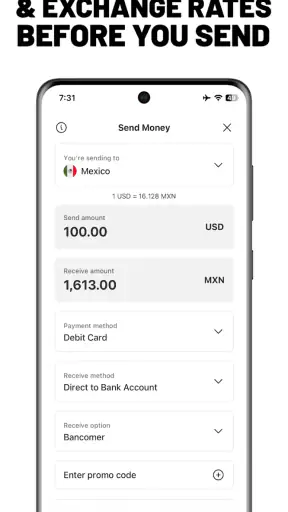
Before confirming a transaction, I would focus on the complete amount rather than only the visible transfer fee. The recipient’s final amount can also be affected by the exchange rate and by the selected delivery method. A transfer that looks inexpensive at first may be less attractive if the conversion rate is weaker than an alternative. In other words, the correct comparison is what I pay against what the recipient receives.
This is one of the app’s most important practical lessons: never rush through the final review screen. I would check the sending currency, receiving currency, recipient details, delivery method, and total cost together. A small mistake in a name or destination can create more trouble than a slightly higher fee, particularly when the recipient is waiting for the money.
The free app is therefore valuable for access and convenience, but the financial value of each transfer must be judged separately. If I am sending a small amount, a fee can represent a meaningful part of the total. If I am sending regularly, exchange-rate differences deserve just as much attention as the stated charge.
A realistic family-support scenario
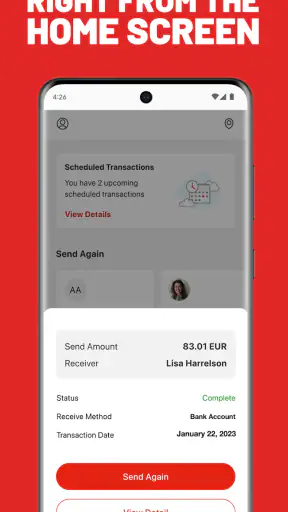
Imagine that I live abroad and need to send money to a relative who wants to collect it rather than wait for a bank deposit. I can use the app to start the transfer while sitting at home, enter the recipient’s information, select the appropriate receiving option, and share the transaction details through a trusted channel. The recipient can then follow the instructions connected with that transfer instead of relying on me to visit a branch during business hours.
That workflow is especially useful when the sender and recipient have different levels of digital confidence. I can handle the phone-based part, while the recipient uses the method that feels familiar. It also separates the act of arranging the transfer from the act of receiving it, which can be helpful when the two people are in different time zones.
My advice in that situation would be to agree on the recipient’s exact name and preferred receiving method before opening the app. Do not guess at spelling, abbreviate a legal name casually, or assume that the recipient wants the same delivery method used last time. These details are easy to overlook because the app makes the process feel quick, but accuracy matters more than speed.
Where the app delivers real value
The strongest value is convenience for international transfers that need a recognizable, focused service. Instead of searching through a general banking app for a rarely used transfer function, I can open a product built specifically around sending money internationally. That narrow purpose makes sense for people who transfer money to family, support someone studying abroad, or occasionally need to move funds across borders.
I also find the mobile format useful for planning. A phone lets me review the transfer while I have the necessary recipient information nearby, rather than writing details down and carrying them to a counter. For someone who sends money outside normal working hours, the ability to begin digitally can remove a major practical obstacle, even though the recipient’s collection or delivery timing still depends on the chosen method.
Another non-obvious advantage is that the app encourages me to think about the recipient’s side of the transaction. A bank-to-bank transfer is often selected from the sender’s perspective: I choose the account and press send. With an international remittance app, I have to consider how the other person will actually access the funds. That makes it better suited to situations where receiving cash, using a different account type, or following local collection instructions is central to the decision.
For occasional users, the absence of an app purchase is also helpful. I do not need to pay simply to keep the tool installed while waiting for the next reason to use it. That matters for people who send money only during holidays, emergencies, or specific family events rather than every week.
Tradeoffs compared with the usual alternatives
The clearest alternative is a bank transfer. Banks can be preferable when both sender and recipient already have suitable accounts, the transfer is recurring, and the total cost is transparent. A bank may also fit better when I am moving a larger amount between my own accounts and do not need cash collection. In that case, MoneyGram’s specialized workflow may add an unnecessary step.
Digital wallet services are another comparison point. They can feel faster for people who already share the same platform, especially for small payments between friends. However, a wallet is less useful if the recipient cannot use that service, lacks a compatible account, or needs a different way to access the money. MoneyGram’s appeal is strongest when the transfer has to cross those practical barriers.
Physical money-transfer locations remain relevant too. A branch can be reassuring if I want face-to-face help, need assistance with a complicated transaction, or do not trust myself to enter everything on a phone. The app is more convenient for independent users, but it does not eliminate the need to understand the transfer conditions. Digital convenience is not the same as personal guidance.
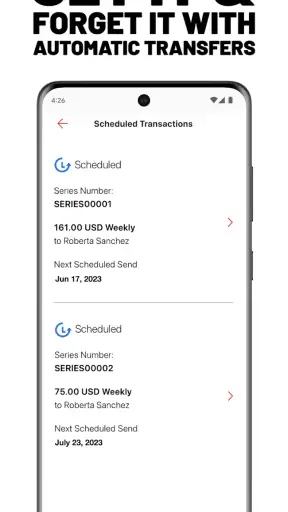
The main tradeoff is therefore not simply “app versus no app.” It is speed and flexibility versus careful comparison. The app can make the process easier to start, but I still need to evaluate the full cost, the recipient’s access, and the reliability of the details I enter. For a straightforward, one-time international transfer, that balance can work well. For repeated transfers, I would compare the complete received amount over several transactions rather than assuming the first result is the best long-term option.
Small habits that make the experience safer and clearer
My first habit would be to prepare the recipient’s information before opening the transfer form. I would keep the recipient’s name exactly as it should appear, confirm the destination country, and decide whether the person wants a bank deposit, cash access, or another available method. This reduces the chance of treating the form like a casual message and making an avoidable correction later.
My second habit would be to take a screenshot or note of the confirmation details for my own records, while sharing them only with the intended recipient. A transfer reference can be useful when two people are coordinating across distance. I would avoid posting those details in a public chat or sending them to an unverified contact.
Third, I would compare the amount received, not merely the fee line. This is a more advanced but essential way to judge value. Two services can advertise similar charges while producing different final amounts because of currency conversion. The app is most useful when I use its final quote as one part of a comparison, not as an automatic signal that the transfer is the cheapest available.
Finally, I would avoid sending money under pressure without checking the recipient through a separate conversation. A polished transfer interface cannot protect me from social engineering if I am sending funds to the wrong person. The app can organize a legitimate transfer, but it cannot decide whether the request itself is genuine.
Who is likely to get the most from it?
I would recommend MoneyGram to people who regularly or occasionally send money internationally and want a dedicated mobile process. It is particularly suitable when the recipient may need cash access or when sender and recipient do not share the same banking setup. It also makes sense for users who prefer arranging a transfer digitally but want a service associated with established remittance habits rather than a general payment wallet.
It can be a good fit for family support, urgent help, travel-related needs, and situations where the recipient’s local access matters more than having both parties use the same financial app. The free installation also makes it easy to keep available without paying for a premium finance tool.
I would be more cautious about recommending it to someone who sends money between compatible bank accounts on a fixed schedule and already receives excellent exchange rates from their bank. That user may value automation, recurring transfers, or account integration more than MoneyGram’s transfer-focused workflow. I would also suggest comparing alternatives if the amount is large, the transfer is frequent, or even a modest exchange-rate difference would materially affect the recipient.
Someone who dislikes entering financial details on a phone may prefer a physical location or direct help from their bank. The app is designed for self-service, so its convenience depends on being comfortable checking every field and understanding how the recipient will receive the funds.
My verdict on the free app and paid transfers
MoneyGram® Money Transfers is worth trying if I need a practical way to arrange an international money transfer from a mobile device. The app itself is free, accessible to a broad audience, and focused on a real problem: helping money move between people who may not share the same banking habits or receiving options.
Its value is not that every transfer will automatically be the cheapest. Its value is the combination of a dedicated remittance workflow, mobile convenience, and flexibility around how the recipient accesses the money. That combination can be more useful than a standard bank transfer in the right situation.
My final recommendation is conditional but positive: use it when the recipient’s access and international reach are your priorities, then compare the final amount received before confirming. Skip it in favor of a bank or wallet when both sides already have a simpler, cheaper, and equally suitable arrangement. The app is free to access, but the smartest choice still comes from judging each transfer by its complete cost and the recipient’s real needs.


